
One calendar
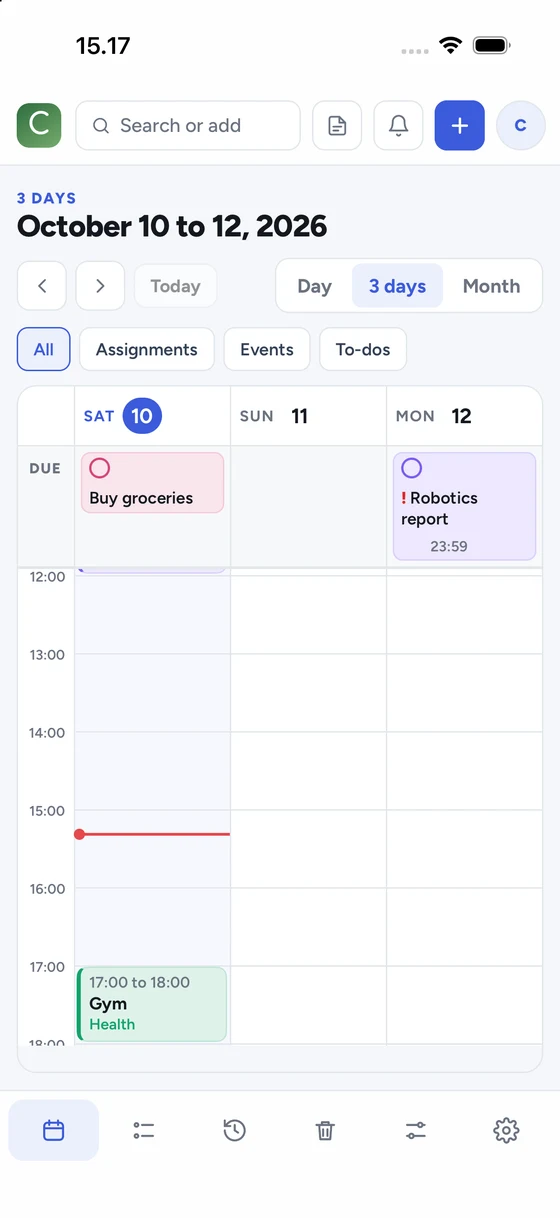
Day, 3-day and month views for classes, deadlines and to-dos, coloured by course. Tap an empty hour to add an event.
ChronKeep is a calendar and to-do list that keeps reminding you, every few minutes if you want, until the assignment is done. On the web and on your phone, always in sync.
Free. No card needed.
Not another busy planner. Just what you need to stay ahead, kept compact and calm.
Day, 3-day and month views for classes, deadlines and to-dos, coloured by course. Tap an empty hour to add an event.
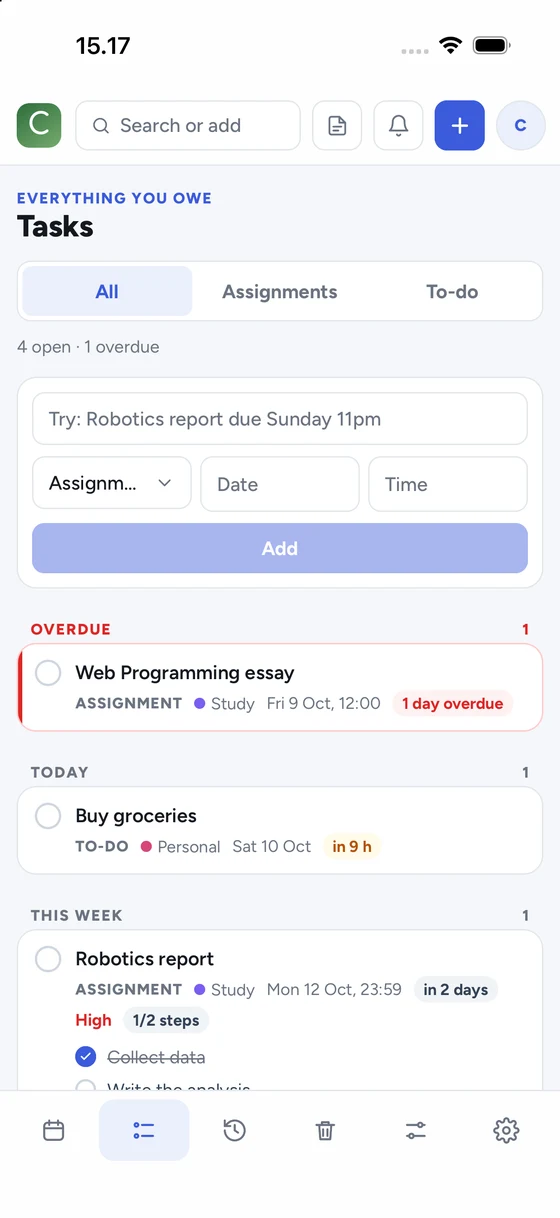
“Robotics report due Sunday 11pm” becomes an assignment, on the right day and time, in the right course, with your usual reminders.
Remind me once, and keep reminding me every few minutes as a deadline gets close, until I tick it off.
Notifications carry buttons, so you can handle a reminder without opening the app.
Break an assignment into steps, mark what matters most, and watch the circle fill as you go.
Everything you finish lands in History, with how often you hand things in on time.
Paste your university calendar link and your lectures appear and stay up to date.
Deleted something by accident? It waits 30 days in the Bin and comes back with one tap.
Sign in on the web and on your phone. Changes show up everywhere, even if one was offline.
One box finds anything on any date, and adds a new item if nothing matches.
Attach a PDF or a photo to an assignment, and keep a floating note with checklists.
Pick your accent colour, name your courses and set the reminders every new assignment gets.
Follows your device, or choose one. Compact and calm, never cluttered.
Your data is yours: export everything or delete your account any time.
Type a sentence, paste your timetable link, or fill in the form. Courses get their own colours.
One reminder before the deadline, or a nudge every few minutes until it is done. You decide, per type of task.
Done moves to History, with an Undo. Overdue things stay red until you deal with them.
The ChronKeep app schedules your reminders on the phone itself, so they arrive with no signal. Sign in with the same account and everything you added on the web is already there.
Add your first deadline in ten seconds and let ChronKeep do the remembering.